
Features
A knowledge base that stays useful.
Build public articles, private SOPs, and AI-searchable answers from one calm, simple workspace — and keep them from going stale.


- “It directs my clients to FAQs instead of just filling out the contact form — I stop answering the same questions repeatedly.” — Arthur D., Owner, IT and Services
- “We don't need an IT guy to do the coding for us. It made our work easier.” — Aimee N., Owner/Managing Director, Outsourcing
- “So simple to write an article and get it published on the site immediately. Such a great timesaver.” — Melissa C., Head of Product, Events Services
- “The self-service knowledge base has reduced ticket volume.” — Armando M., Design Engineer, Civil Engineering
- “Client users find it easy to access information and we find it easy to update and add new information.” — Chris D., Co-founder, Information Services
- “The sales department made it part of their presentations as a key selling point.” — Bradley U., Chief Content Creator, Marketing & Advertising
- “I like how it makes it super easy and friendly, so different users in the company can collaborate without having to know website publishing.” — Daniel H., Chief Executive Officer
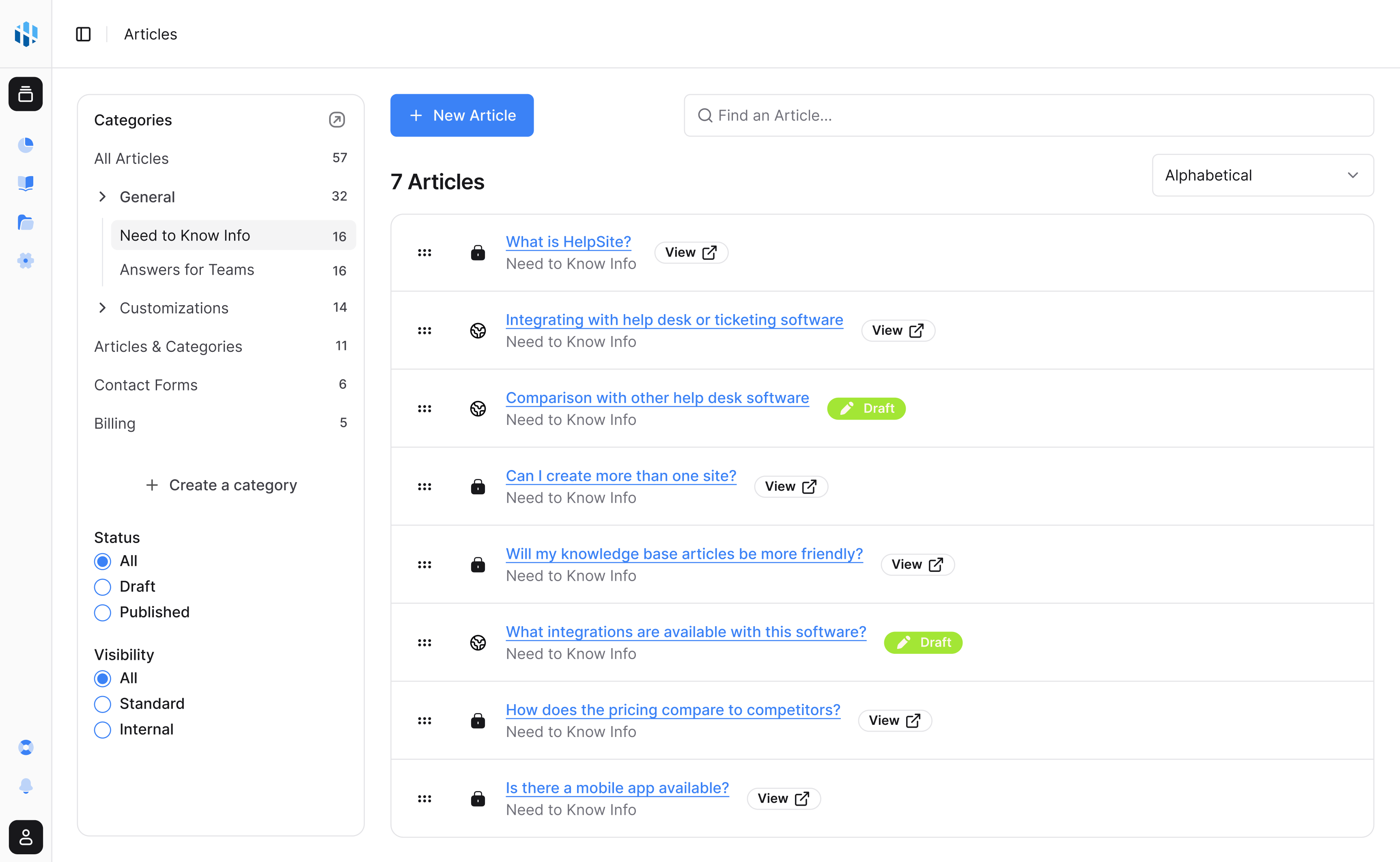
Public and private
One account. A help center for customers and a private KB for your team.
Run a public help center and a private internal knowledge base side by side — without paying for two tools or copying answers between them.
Public and private, together
Around 60% of teams use both: customer-facing articles out front, SOPs and policies kept internal.
Separate sites, one login
Spin up distinct help centers for different products, brands, or teams from the same account.
Right answer, right audience
Control who sees what, so internal playbooks never leak into your public docs.
Maintenance
Know what people searched for — and where your docs came up empty.
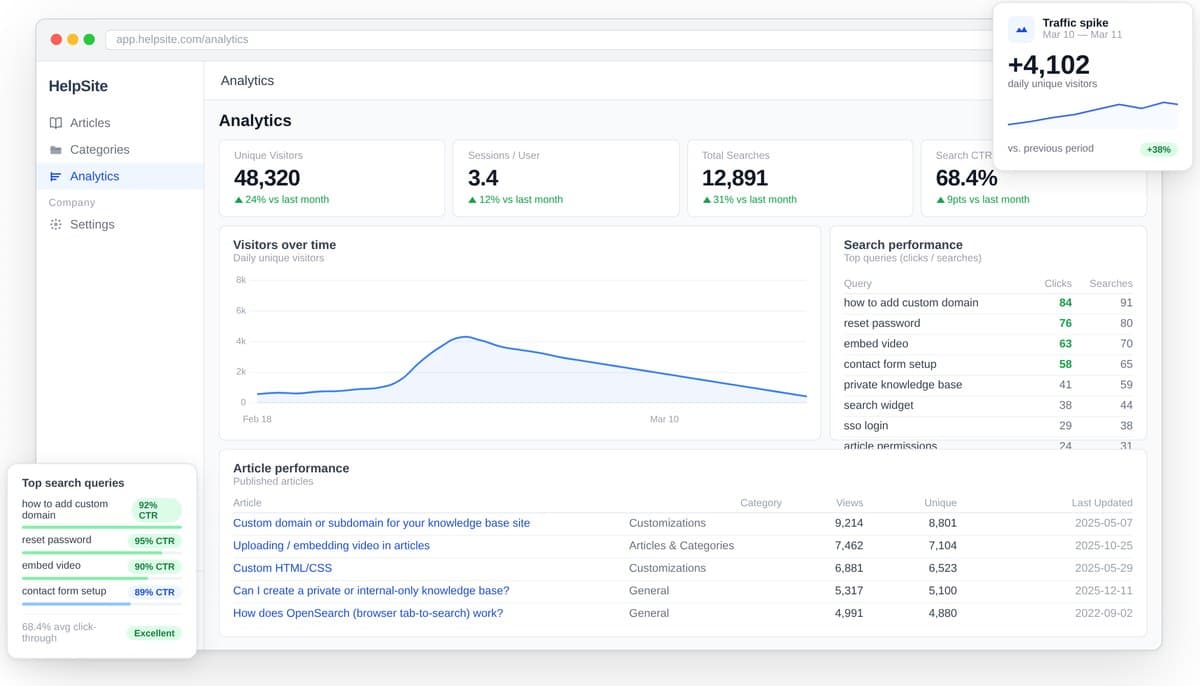
Your knowledge base is probably already going stale. Analytics shows which articles earn their keep, what visitors search for, and where the answers are missing.
Search-gap reports
See the searches that returned nothing, so you write the articles people are actually looking for.
Spot stale content
Find the articles quietly generating tickets before they pile up in your inbox.
See what's working
Track views and self-service so you can show what the knowledge base is deflecting.
Launch quickly
Live this afternoon — no developers, no implementation project.
Bring your existing docs, choose what's public or private, and publish a searchable help center the same day. No IT ticket required.
Start from what you have
Move existing articles and FAQs in instead of starting from a blank page.
No code, no IT
Built for lean teams — write an article and it's live, with no developer in the loop.
Searchable from day one
Customers and teammates can find answers the moment you publish.
Everything in HelpSite
All the features, one simple workspace.
One place for answers
Smart knowledge base
Create public articles, private SOPs, and team playbooks in a simple editor built for repeated questions.
Findability
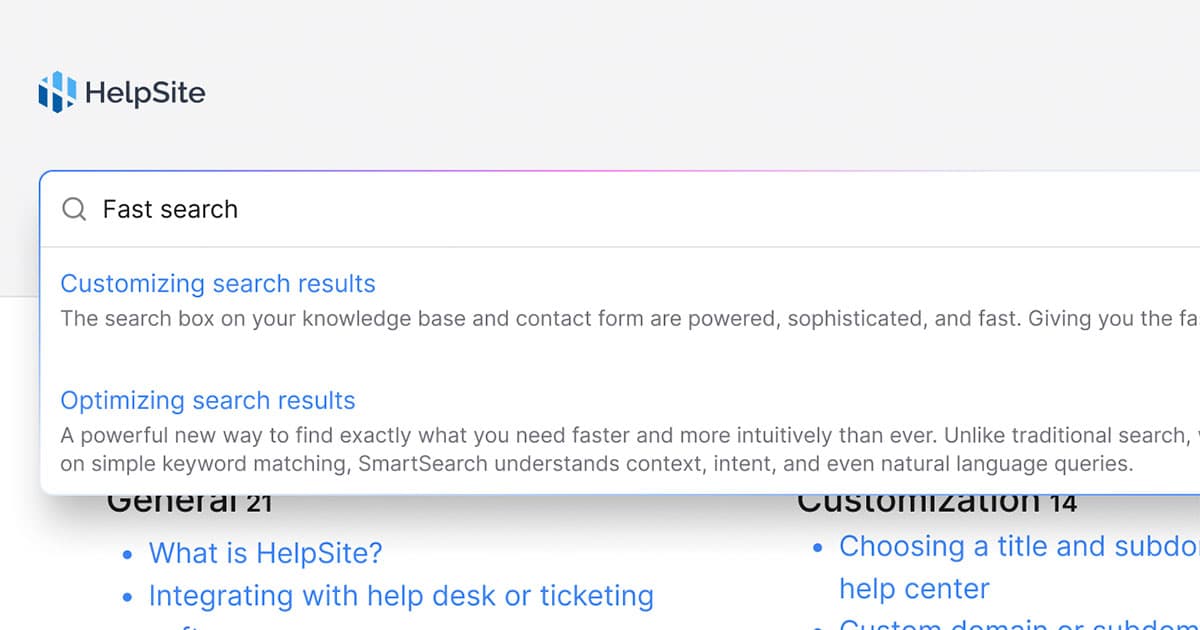
Lightning-fast search
Help customers and teammates find the right answer before another ticket, ping, or meeting appears.
AI answers
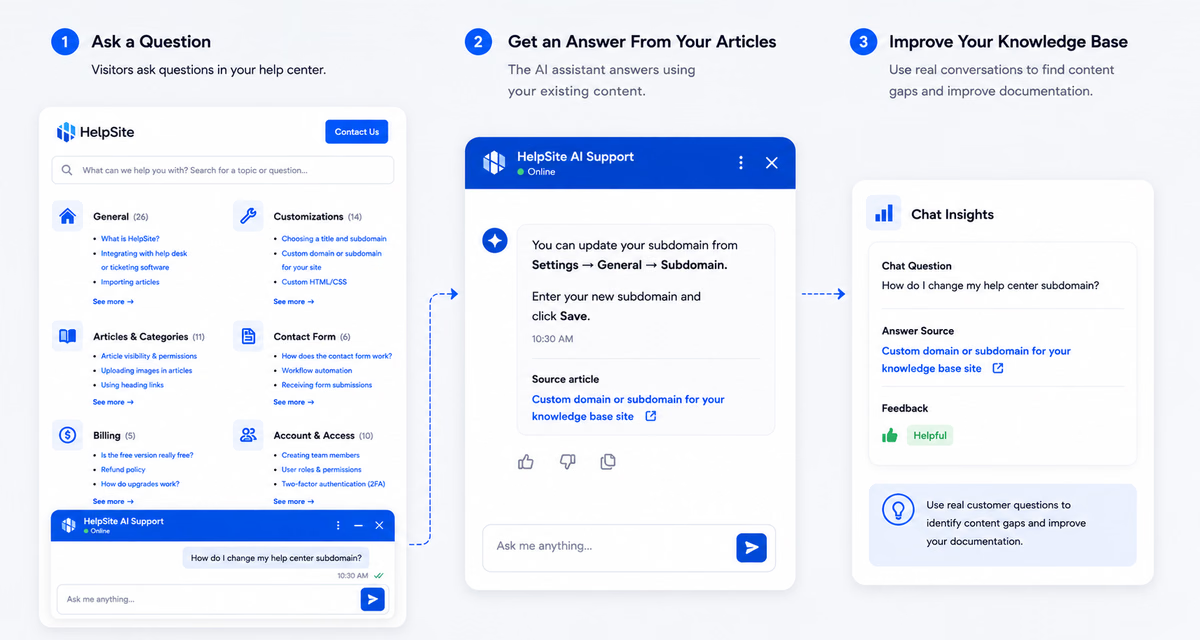
AI chatbot
Answer customer questions with AI grounded in your HelpSite articles, source links, and reviewable chat history.
AI workflows
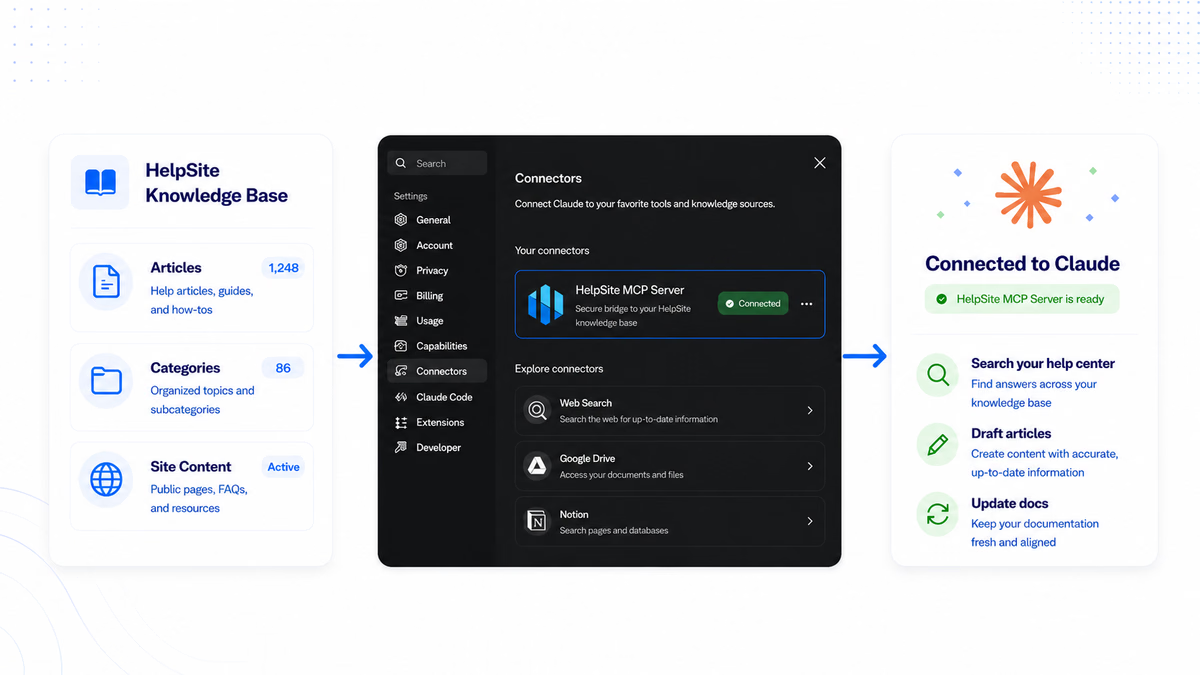
MCP Server
Connect HelpSite to MCP-compatible AI tools so your team can search, draft, update, and organize docs faster.
Onboarding and content
AI KB Generator
Turn your website, PDFs, and Drive files into an organized knowledge base, reviewed by you before anything is created.
Public and private
Multiple sites
Run separate help centers for customers, products, teams, or brands from one account.
Maintenance
Analytics
See which articles work, what visitors search for, and which searches end without a click on any article.
Ownership
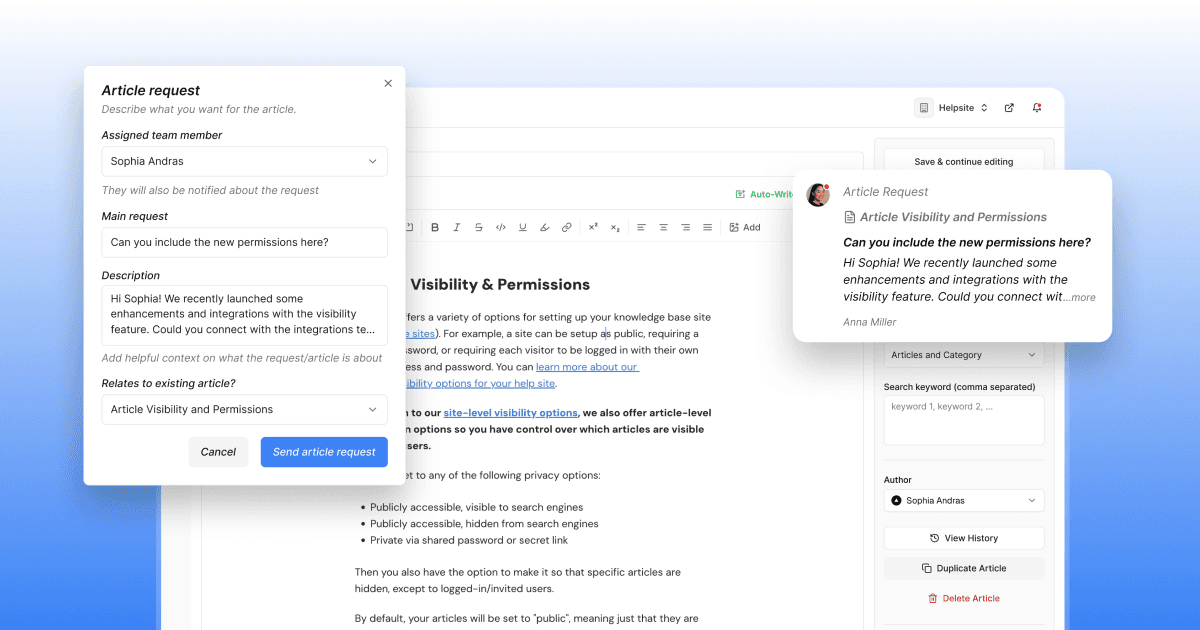
Assignments and requests
Assign article work, track requests, and keep documentation from becoming one person's invisible job.
Launch quickly
Effortless setup
Bring existing docs, choose visibility, and publish a searchable help center without a long implementation project.
Make it yours
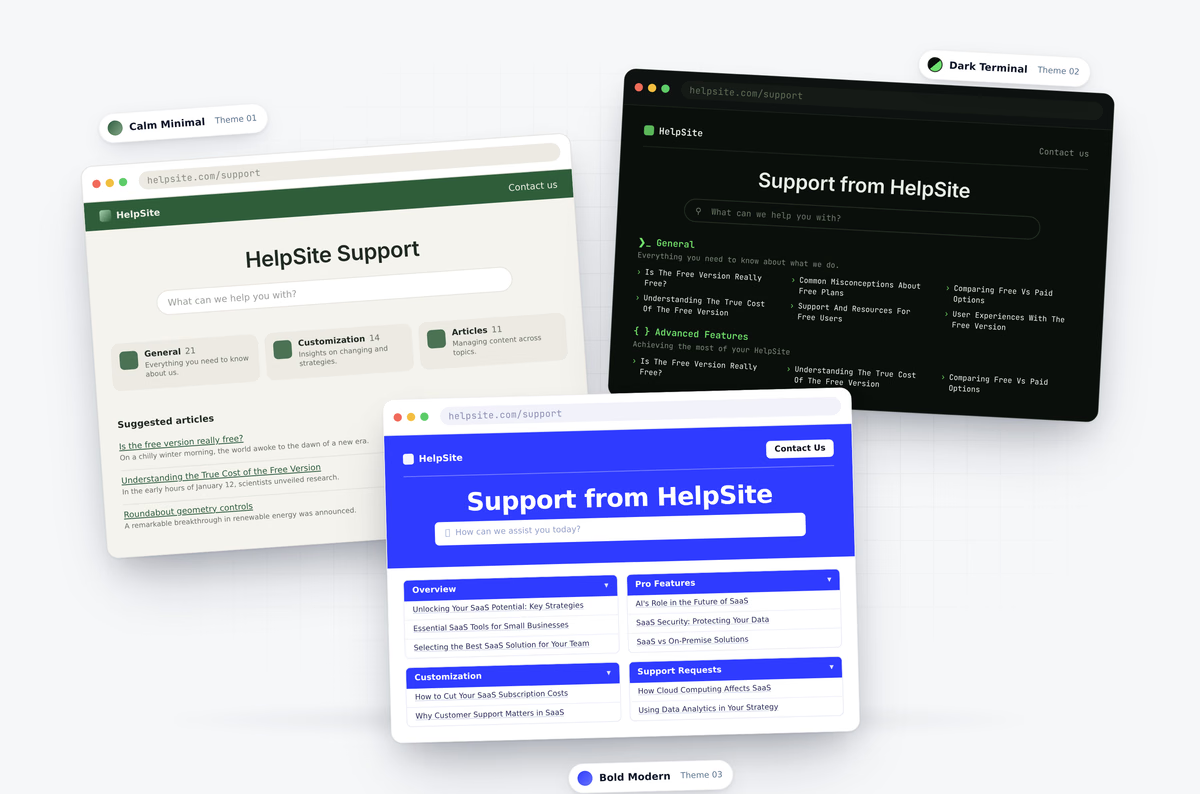
Themes and branding
Start from a ready-made theme, customize colors, fonts, logo, and domain, or use HTML and CSS for deeper control.
Internal SOPs
Private internal KB
Keep sensitive policies, processes, and onboarding docs private while still using the same knowledge base workflow.
Stop being the answer person.
Build a knowledge base your customers, team, and AI tools can actually trust.
Start your 14-day free trialNo credit card to start · No per-seat pricing